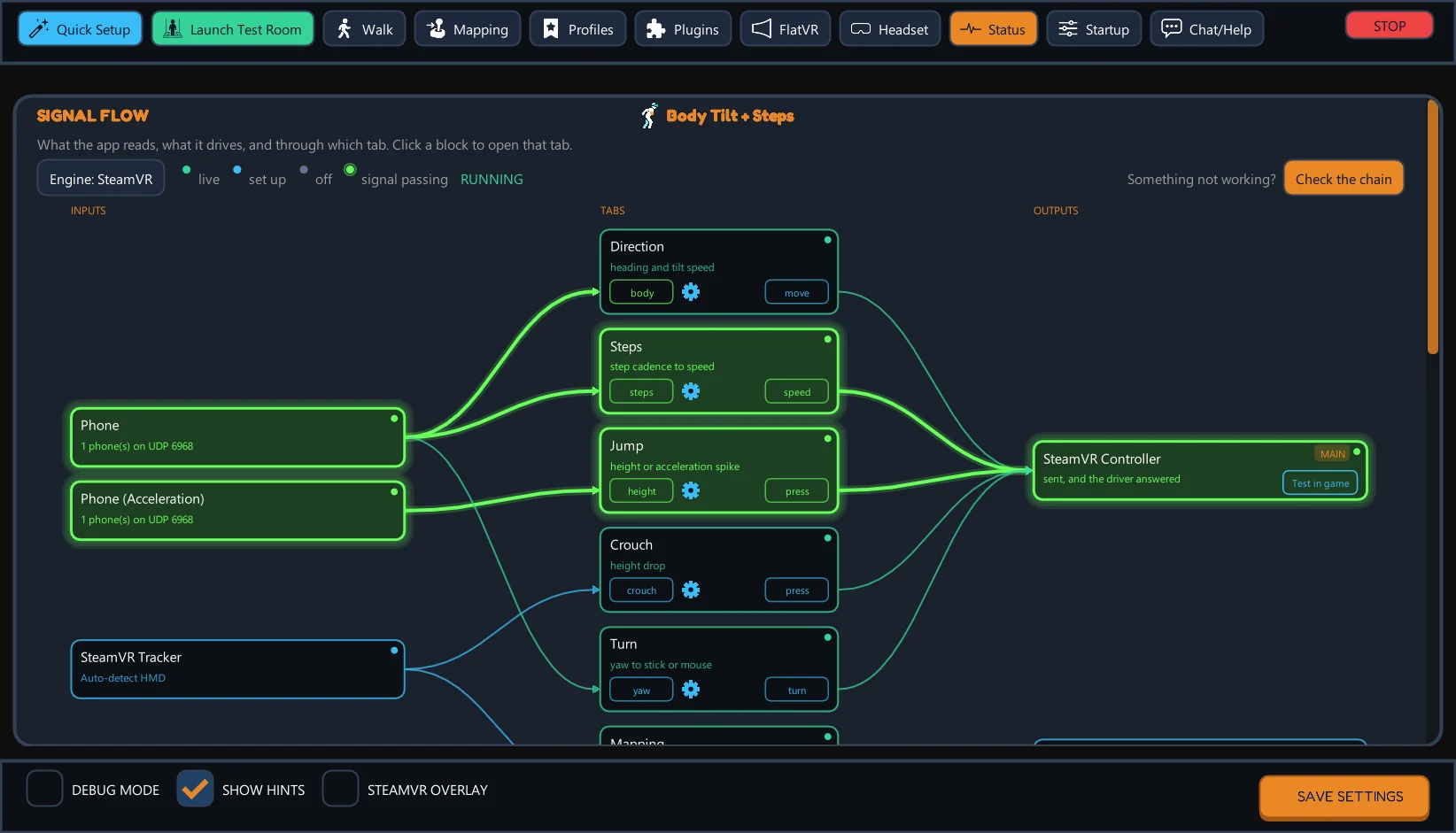
BodyWalkVR turns your body into a stick push, a button or a key. The output is how that reaches the game: a virtual controller, the stick of the controller in your hand, a gamepad, keys. Pick the one your game listens to - everything else in the app stays the same whichever you choose.
The Output list is on Main, in the Engine & Output block, beside the Engine. It only offers what fits the Engine: with SteamVR you get SteamVR Controller and SteamVR Hook, with OpenXR the OpenXR API Layer, with OpenComposite the OpenComposite output. Xbox Controller (vJoy), Keyboard, VRChat OSC and the plugin outputs are offered with every engine; Custom offers everything. The button beside the list is SETTINGS for the output's options, or Game profile for SteamVR Controller.
Disabled sends nothing. Game Link is the output to game mods; it turns on by itself when you launch such a game. An output whose plugin or driver is missing says so in its name in the list: (driver install required), (driver activation required) or (driver registration required). Downloading and enabling plugins is on Plugins and drivers.
The default output and the one to start with for SteamVR games. BodyWalkVR adds a virtual treadmill controller to SteamVR; your walking is its stick, and jump, crouch and sprint are its buttons. Your real controllers stay as they are.
Moves the stick of the real controller you hold, so the game sees nothing new and needs no binding. For games that ignore a second controller.
For games that run on OpenXR directly, without SteamVR. A small layer loads into the game and writes the stick into the game's own OpenXR calls.
OpenComposite runs SteamVR games on OpenXR, without SteamVR. This output walks those games.
Sends walking and your BodyWalkVR bindings straight into the controllers ALVR gives SteamVR, through ALVR's web API. No SteamVR driver, and it works in every ALVR controller mode.
For a Quest or Pico connected through BodyWalkVR's own bridge. The walk becomes the thumbstick, the bindings become buttons, and both go straight into the headset's own controllers inside the bridge - before any runtime reads them. So every game the bridge runs gets it, on SteamVR or OpenXR alike, and nothing is installed into SteamVR or into the game. The same plugin also gives the Headset input: the headset and both controllers, read through the bridge, as the Input Source on Mapping.
Puts the stick and buttons straight into the controllers of the PC-to-Meta-Quest bridge, with nothing loaded into the game.
A virtual Xbox 360 gamepad. Your walk is its left stick. For flat games, flat games in the headset through FlatVR, UEVR games, and any game that reads a gamepad.
Presses movement keys. For games with no analog movement and no gamepad support.
Talks to VRChat directly through OSC, with no driver or binding.
Offered on the Turn tab only: turning your body moves the mouse sideways, for flat games that turn the camera with the mouse. The walk itself still goes to the main output.
Jump, Crouch, Turn and the two Sprint buttons (on Direction and on Steps) each have their own output. It is Follow Main Output by default: they go wherever the main output sends the walk, and switching the main output takes them along.
If walking works in the Test Room but not in the game, the devices are fine and the output is the link to look at.
More causes and fixes: The game does not move.